


SiriusXM: Music, Sports & News
4.5177.71K Reviews
App Specs
- Version
- 7.29.2
- Updated On
- License
- Free
- Downloads
- 10,000,000+
- Developer
- SiriusXM
- Categories
- Music & Audio
- Platform
- Android, iOS
Screenshots

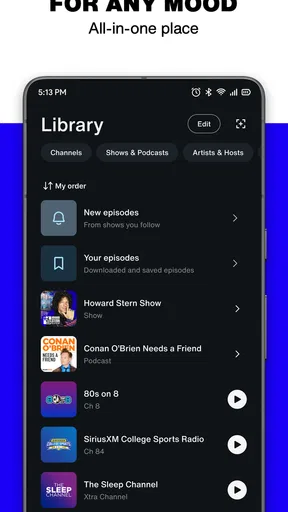
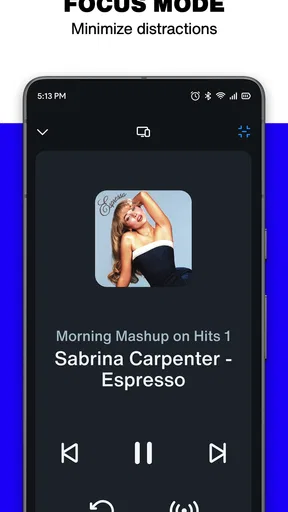
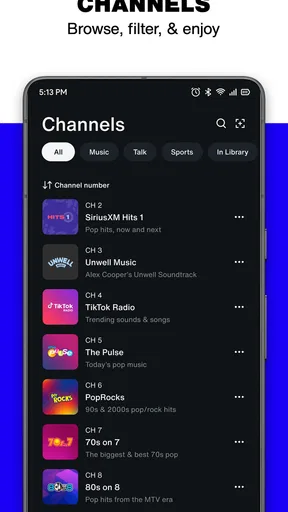
 Analysis by AppCompare
If you're like me and love having all your music, sports, and news in one place, then the SiriusXM: Music, Sports & News app might just be your new best friend. I've spent some quality time with this app, and I'm here to spill the beans on what it's all about.
Choosing a starting point
My best advice is to open the app with a listening plan rather than trying to explore everything at once. SiriusXM is an audio app from SiriusXM, and its mix of radio, music, sports, and news makes it useful when I want one place to browse different kinds of listening. The challenge is that this breadth can make the first visit feel busy: a music listener, a sports follower, and someone looking for a news update may each be looking for a different way in.
The app is free to download, and its Teen content rating gives families a useful starting point when deciding whether it fits their household. In practice, I would still make listening choices together where that matters, because an age label is not a guide to every individual program. The app has a 4.5 average from around 1.1 million ratings, and it has passed 10 million installs, which suggests that it has found a substantial audience for this kind of all-in-one audio service.
Build a listening routine instead of browsing endlessly
A practical first session is to pick one destination—say, a music station for a commute—and learn how to return to it before exploring the rest. Once you know where your preferred channels live, saving favorites can turn later visits into a short, repeatable routine. I find that approach more useful than repeatedly scanning every category, especially when I only have a few minutes before leaving home.
Downloads can also change how I plan a day. If I expect to be somewhere with an unreliable connection, I would prepare the content I want to hear while I still have access to a stable connection, then check that it is ready before setting off. That is a small but valuable habit: offline listening is most useful when it is part of the preparation, not a last-minute fix after a stream has already stopped. It also makes the app a better fit for travel than a service I only open once I am already on the road.
How SiriusXM fits beside other audio apps
Compared with a music service built mainly around albums, songs, and playlists, SiriusXM is more appealing when I want radio-style programming and a quick change of mood without choosing every track myself. Compared with a dedicated podcast app, its broader mix makes it easier to move between music, sports, and news, though a podcast-first listener may prefer an app organized around subscriptions and episode queues. The choice depends on whether I want curated, station-led listening or precise control over a personal library.
That distinction helps set expectations. I would choose SiriusXM when the sound of a programmed channel or a sports discussion is the point; I would choose an on-demand music app when I already know the exact album or song I want. If I am following one podcast closely and need to keep track of a long episode backlog, a dedicated podcast tool may be more comfortable. SiriusXM is strongest as a broad listening destination, not necessarily as the most specialized tool for every audio habit.
Worth Reading Before You Choose

EA SPORTS FC Mobile 26 Is a Bigger Football Game, but It Takes Time

Flipboard Shows What News Apps Must Do Beyond the Feed

Switching to Android Auto Means Rethinking Your Driving Routine

Google Calendar Makes a Crowded Week Easier to Manage

Ludo King Makes the Most of the Minutes Between Plans

Baby Panda World Brings Quick Play to Modern Phones, but Its Game Library Feels Busy
A Universe of Audio Content
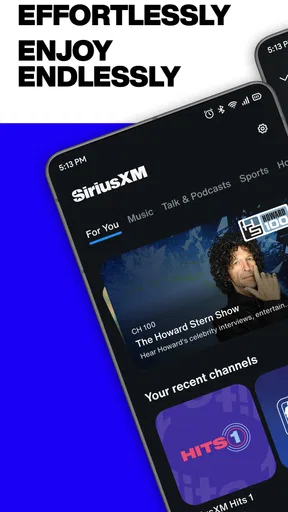
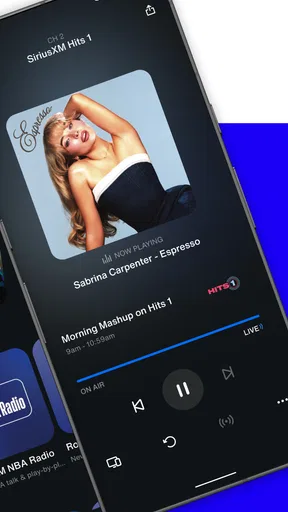
Imagine having access to hundreds of radio stations right at your fingertips. That's exactly what the SiriusXM app offers. From the moment you dive in, you're greeted with a massive library of content. Whether you're into pop, rock, hip-hop, or country, there's something here for everyone. The app also features a variety of sports channels, so if you're a sports junkie like me, you're in for a treat.
Navigation and User Experience
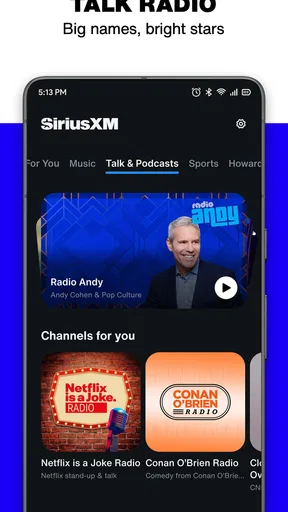
I'll be honest, the app's interface took me a moment to get used to. It's packed with features, which is great, but it can feel a bit overwhelming at first. Once you get the hang of it, though, it's smooth sailing. The sections are neatly categorized, making it easy to jump from music to news or catch up on your favorite sports analysis.
One useful way to handle that initial clutter is to treat browsing as a two-step handoff: first choose the kind of listening you want, then narrow down to a channel or program. Switching from news to music is a different task from deciding what to hear within a sports section, so I try not to make both decisions at once. A few deliberate choices at the beginning save me from wandering through menus later, when I am trying to listen while doing something else.
Personalization at Its Best
One of the coolest features is the ability to customize your listening experience. You can create a personalized playlist, save your favorite channels, and even download content for offline listening. This means you can jam to your favorite tunes or catch up on the latest news even when you're off the grid.
For a day with several different routines, I would save a small set of dependable destinations rather than trying to keep every interesting discovery within reach. For example, I might keep one music option for focused work, a news choice for a short morning check-in, and a sports destination for later. The benefit is not just personalization; it is less decision-making at the moment I press play. The trade-off is that a saved channel is only useful if it still matches my mood, so I would occasionally revisit those choices rather than letting a long favorites list become another thing to sort through.
Sports Fanatics, Rejoice!
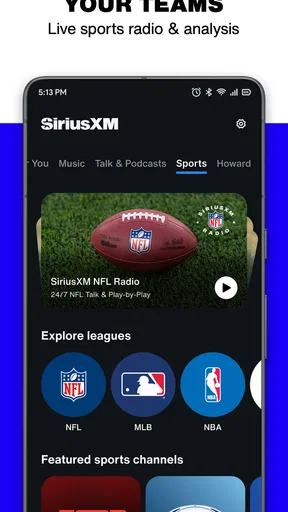
If you’re a sports enthusiast, you’ll love the sports coverage. From live games to expert commentary, the app offers extensive coverage of major leagues like the NFL, NBA, and MLB. It's like having a ticket to every game in the palm of your hand.
For a realistic game-day routine, I would use the app before the event to find the sports coverage I want, then keep the listening session going as I move between chores or errands. That makes audio particularly handy when I cannot sit in front of a screen. It is also worth being clear about what I want from a game: if the priority is watching every play, a video option is the more natural choice; if I want company, commentary, or updates while my hands are busy, audio is a sensible alternative.
News on the Go
The news section is packed with channels that cover everything from politics to entertainment. Whether you're a news junkie or just want to stay informed, you can easily tune into national and global news channels. I found this feature incredibly useful for staying updated while commuting.
For a commute, I would choose a news channel before setting off rather than browsing while walking or driving. That small handoff—from choosing at home to listening on the move—keeps attention where it belongs and makes the app’s range more practical. For a quick update, live-style radio can feel more immediate than opening several separate news sources; for detailed research or a story I want to revisit, a text article is usually easier to scan and compare. SiriusXM works well as an audio companion, not as a replacement for every way of following the news.
Where the experience can fall short
The main friction for me is the same breadth that makes the app attractive. New listeners may need a little time to learn the layout, and someone who wants a minimal player with a single familiar playlist may find the choice of content unnecessary. A large catalog can invite browsing when the real goal is simply to press play, so saved destinations and a clear listening routine matter more here than they would in a narrowly focused app.
There is also a practical difference between streaming and listening offline. I would not assume that every item I can play while connected will be available later without preparation; the useful habit is to download what I plan to hear and confirm it before leaving. Likewise, a broad sports offering is not the same as a promise that every particular event or matchup will meet my needs. If I follow one team or competition closely, I would check the available programming in the app before making it my only game-day source.
The app is free to install, but it also offers in-app purchases, listed in ranges from one dollar to ninety-nine dollars and ninety-nine cents per item. That means I would check the terms shown in the app before committing to a purchase or plan, and decide whether the content I want justifies the cost for my own listening habits. SiriusXM runs at version 7.22.1 and requires Android 7.0 or later, which is useful to know if I am checking an older Android device before downloading.
Who I would recommend it to
I would recommend SiriusXM to someone who likes having radio-style music, sports talk, and news in the same place, especially if their listening changes throughout the day. It suits a person who wants to put on a channel while commuting, cooking, or working and does not need to pick each track. It is less compelling for someone who only wants a carefully organized personal music library, wants to follow podcasts through a dedicated episode manager, or strongly prefers watching sports rather than listening to coverage.
My overall view is that SiriusXM is most rewarding when I use it as a flexible audio hub instead of expecting it to behave exactly like a music playlist app or a podcast organizer. I would start with one favorite channel, learn the navigation, and build a short list of reliable listening choices before exploring more. That makes the range feel like a real advantage rather than a maze.
In conclusion, the SiriusXM: Music, Sports & News app is a comprehensive audio hub that caters to a wide range of interests. It's not perfect, and I had a few hiccups with navigation, but the sheer variety of content outweighs those minor bumps. If you're ready to dive into a world of audio entertainment, give it a try and let me know what you think!
Pros
- Wide variety of music genres available.
- Live sports coverage with expert commentary.
- Personalized playlists enhance user experience.
- Offline listening option for on-the-go access.
- Podcasts and radio shows in one platform.
Cons
- Subscription cost may be high for some users.
- Occasional streaming interruptions reported.
- Interface can be overwhelming for new users.
- Limited free trial compared to competitors.
- Some content restricted by region.
FAQs for SiriusXM: Music, Sports & News
What features does SiriusXM offer?
SiriusXM provides a diverse range of features, including access to over 300 channels of music, sports, news, and talk shows. Users can enjoy curated playlists, live sports coverage, exclusive interviews, and personalized recommendations. The app also offers offline listening, allowing users to download content for times when they don’t have internet access.
Is SiriusXM available for both Android and iOS devices?
Yes, SiriusXM is available for download on both Android and iOS platforms. The app can be found in the Google Play Store for Android users and the Apple App Store for iOS users. This ensures compatibility with a wide range of smartphones and tablets, providing flexibility for various devices.
Does SiriusXM offer a free trial period?
SiriusXM typically offers a free trial period to new users, allowing them to explore the app’s extensive features before committing to a subscription. The length of the trial period can vary, so users should check the app’s terms and conditions or promotional offers for the most up-to-date information on trial availability.
Can I use SiriusXM offline?
Yes, SiriusXM allows users to download select content for offline listening. This feature is particularly useful for those who travel frequently or have limited internet access. Users can enjoy their favorite music, shows, and podcasts without needing a constant internet connection, ensuring uninterrupted entertainment.
What are the subscription options for SiriusXM?
SiriusXM offers a variety of subscription plans tailored to different needs and budgets. Options may include basic plans with essential channels, as well as premium plans that offer additional content and features. Users can choose from monthly or annual subscriptions, with discounts often available for longer commitments.


